A customer returns something and Shopify refunds them. On the GST side that refund is not a correction to the original invoice — it is a new document, with its own number, in its own series, landing in this month's return. Editing the invoice is not a shortcut to the same outcome; it is a different, wrong thing.
This guide covers which note applies when, why an issued invoice cannot be edited, and what "locked" means when the app refuses.
Credit note or debit note
The test is direction, not fault.
- Credit note — the value goes down after the invoice was issued. A return, a refund, a post-sale discount, goods rejected, or tax overcharged the first time. Section 34 of the CGST Act requires the reduction to be made this way.
- Debit note — the value goes up. A post-sale price revision, an undercharge, or tax that should have been higher.
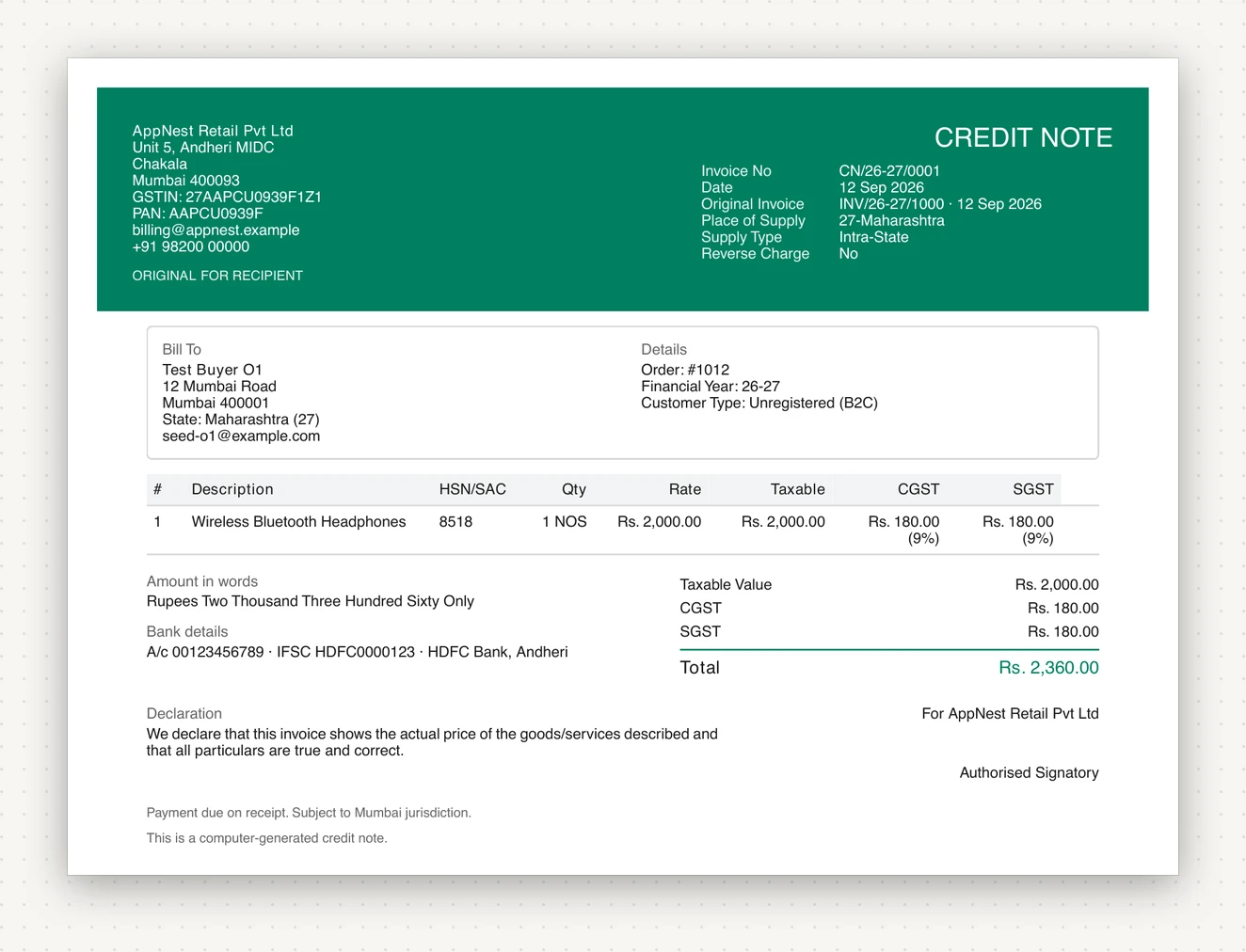
Note what it carries: Original Invoice INV/26-27/1000 and its date. A credit note that does not reference the document it corrects is not much use to anyone, and the reference is what lets the return net the two against each other.
The debit note is the same shape in the other direction:
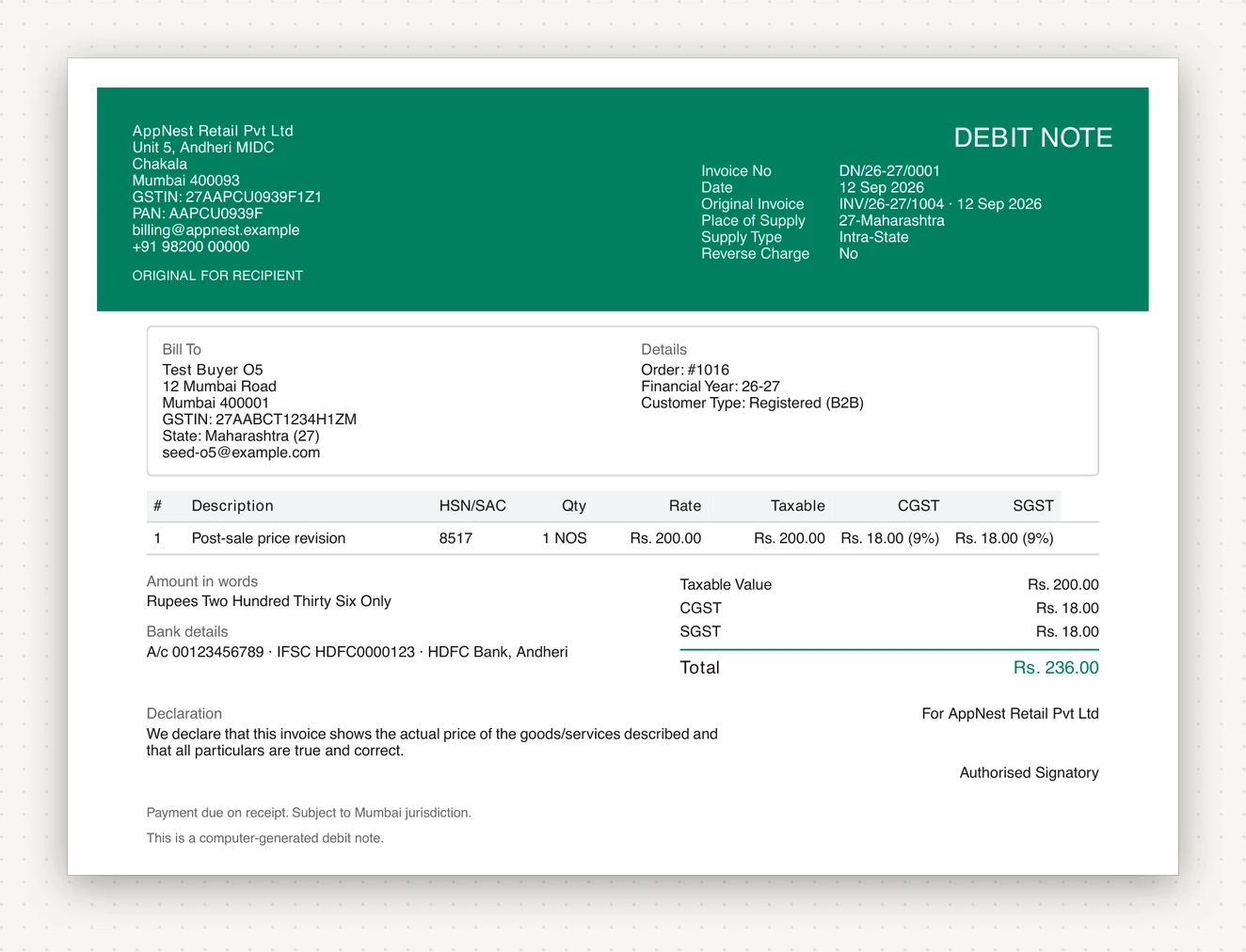
They mirror the original on purpose
A credit note copies the original invoice's treatment rather than recomputing it from today's settings:
- The same place of supply, so an inter-state charge is reversed inter-state.
- The same intra-state or inter-state split, so CGST and SGST are reversed as CGST and SGST — not converted into IGST because a setting changed since.
- The same tax-inclusive basis. If the order's prices included tax, the refunded amounts are read on the same basis.
That last one has a wrinkle worth knowing about on a tax-inclusive store: Shopify's refunded line subtotals include tax, but a refunded shipping amount does not. They are handled separately rather than being forced onto one basis, which is the difference between a credit note that balances and one that is off by the tax on the shipping.
Why the original cannot be edited
Two reasons, and both are external to the app:
The series has to stay gapless. Each document type keeps its own sequence per financial year. Deleting an issued document leaves a hole, and a hole in an invoice series is a question you will be asked. So an issued document is cancelled, never deleted — the number stays consumed and the cancellation is reported in the documents-issued table of your return.
The return has already seen it. Once a period is filed, the invoice in your records has to match the invoice the portal has. Changing it afterwards puts the two permanently out of step.
When the app says a document is locked
Three states make a document immovable:
- It is in a filed period. You marked the period filed; the app is holding you to it.
- It carries an IRN. Once registered on the e-invoice portal, the document belongs to the IRP as much as to you.
- It has a credit or debit note against it. The correction already exists; a second correction to the same original is how a reconciliation becomes unrecoverable.
Locked documents are skipped by bulk regeneration rather than silently rewritten, and they are never deleted. If you genuinely need to change one, the route is another note — not a reopened lock.
Removing the filing lock is possible and deliberately awkward: it makes every previously filed document editable again and asks you to type REOPEN to confirm. Use it when you locked the wrong period, not when you dislike the answer.
Credit notes are on every plan, including Free
This is not a pricing decision, and it is worth saying why. Section 34 requires a refund against an issued tax invoice to be reversed by credit note. Putting that behind a paid tier would mean a store on the free plan either stops refunding or keeps books that are wrong — so credit notes sit on Free alongside automatic invoicing.
Debit notes, along with proforma invoices, delivery challans and Bills of Supply, are on Starter and above.
Where they land in your return
Credit and debit notes are reported in two GSTR-1 sections, split by whether the counterparty is registered:
- CDNR — against a buyer with a GSTIN.
- CDNUR — against an unregistered buyer.
And they reduce the headline: GSTR-1 totals and GSTR-3B table 3.1(a) are reported net of credit notes in the period. A month with heavy returns showing outward supply well below invoices issued is not an error. See GSTR-1 and GSTR-3B.
The short version
Refund going out, credit note. Extra charge going in, debit note. Never edit an issued invoice, and never delete one — cancel it, and let the number stand.
BillNest is on the Shopify App Store. Credit notes are on every plan; debit notes and the other documents start at Starter.