Ask anyone who has made a bad bulk edit what went wrong and the answer is almost never "the action was wrong". It is that the action ran on the wrong orders.
A saved segment is the fix: you write the definition of a set down once, name it, check it once, and then point things at the name instead of rebuilding the filter from memory every time.
What a segment can match
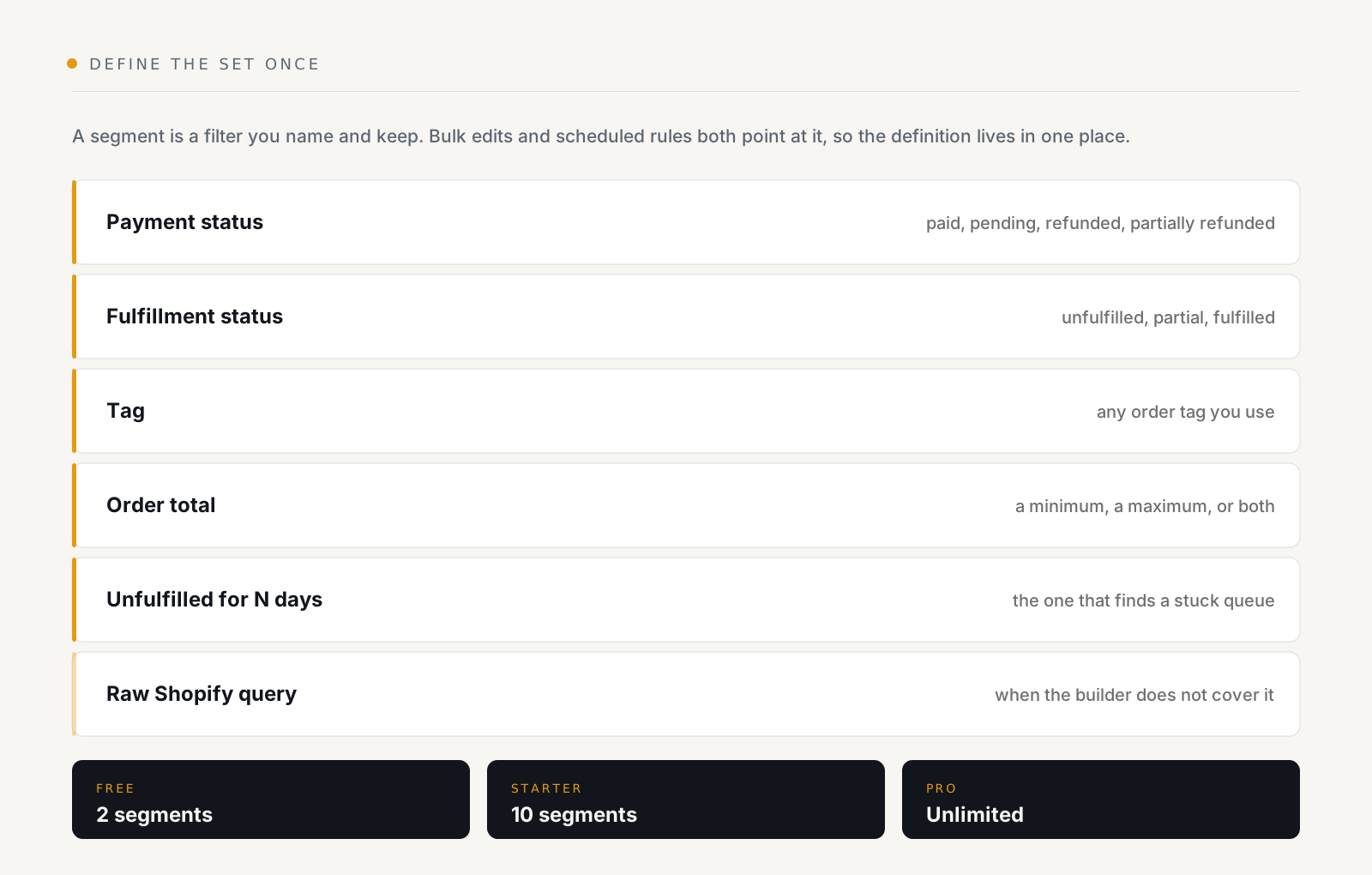
The one that earns its keep is unfulfilled for more than N days. It is the definition of a stuck queue. It is tedious to reconstruct by hand, and it is exactly the kind of thing you want a schedule to sweep rather than a person to remember.
The raw Shopify query field is the escape hatch. When the builder cannot express what you mean, you can write Shopify's own search syntax instead, which means a segment is never a dead end, just occasionally a more technical one.
Why saving it matters more than it sounds
A segment is used in two places, and they are the two places accuracy matters:
- A bulk edit, pick the segment instead of rebuilding filters, then preview and confirm as usual.
- A scheduled rule, an hourly, daily or weekly rule sweeps a segment, once per order.
So the definition of "orders we chase" exists once. Change it, and both the manual job and the automated one change with it. Rebuild it by hand each time and they drift apart, which is how a cleanup job and its automation quietly stop agreeing about what they are for.
The sixty-day horizon
A segment sees the last 60 days of orders. That is the history window Shopify grants apps by default, and OrderNest does not request the extended orders scope, so it is a real boundary rather than a setting.
For the work segments are for, queues, chasing, tagging recent cohorts, that is the right window anyway. But it does mean a segment is not an archive tool, and "all orders with tag X" means all such orders in the last sixty days.
Naming them like you mean it
Two on Free, ten on Starter, unlimited on Pro. The Free limit is small enough that it forces a useful discipline, which is worth keeping even after you have room to be sloppy:
- Name a segment after the decision, not the filter.
chase-unfulfilledbeatsunfulfilled-5-days-paid, the second one has to be renamed when you change 5 to 7. - Keep one segment per job. A segment that serves two purposes will eventually be edited for one of them and silently break the other.
- Check it before you automate it. Open it, look at the orders it returns today, then attach a schedule.
A worked example
The job: every morning, chase paid orders that have sat unfulfilled for more than five days.
- Segment, payment status paid, unfulfilled for more than 5 days. Name it
chase-unfulfilled. Look at what it returns. - Rule, trigger on a daily schedule over that segment, action email
someone, or add tag
chasing. Fires once per order, so yesterday's backlog is not re-sent today. - Run now first. See the result before letting the schedule own it.
The segment is the part you will edit later, when five days becomes seven, or when a channel needs excluding. The rule stays as it is.
See what OrderNest does, two segments on the free plan, ten on Starter, unlimited on Pro.