One reorder point across a whole catalogue is wrong in both directions at once. Set it at 10 and your slow accessories nag you constantly while your best seller sells out at 11. Set it at 3 and the accessories go quiet, along with everything else, until it is too late.
The fix is scoped rules, and the only thing you really need to understand is which one wins.
Most specific wins
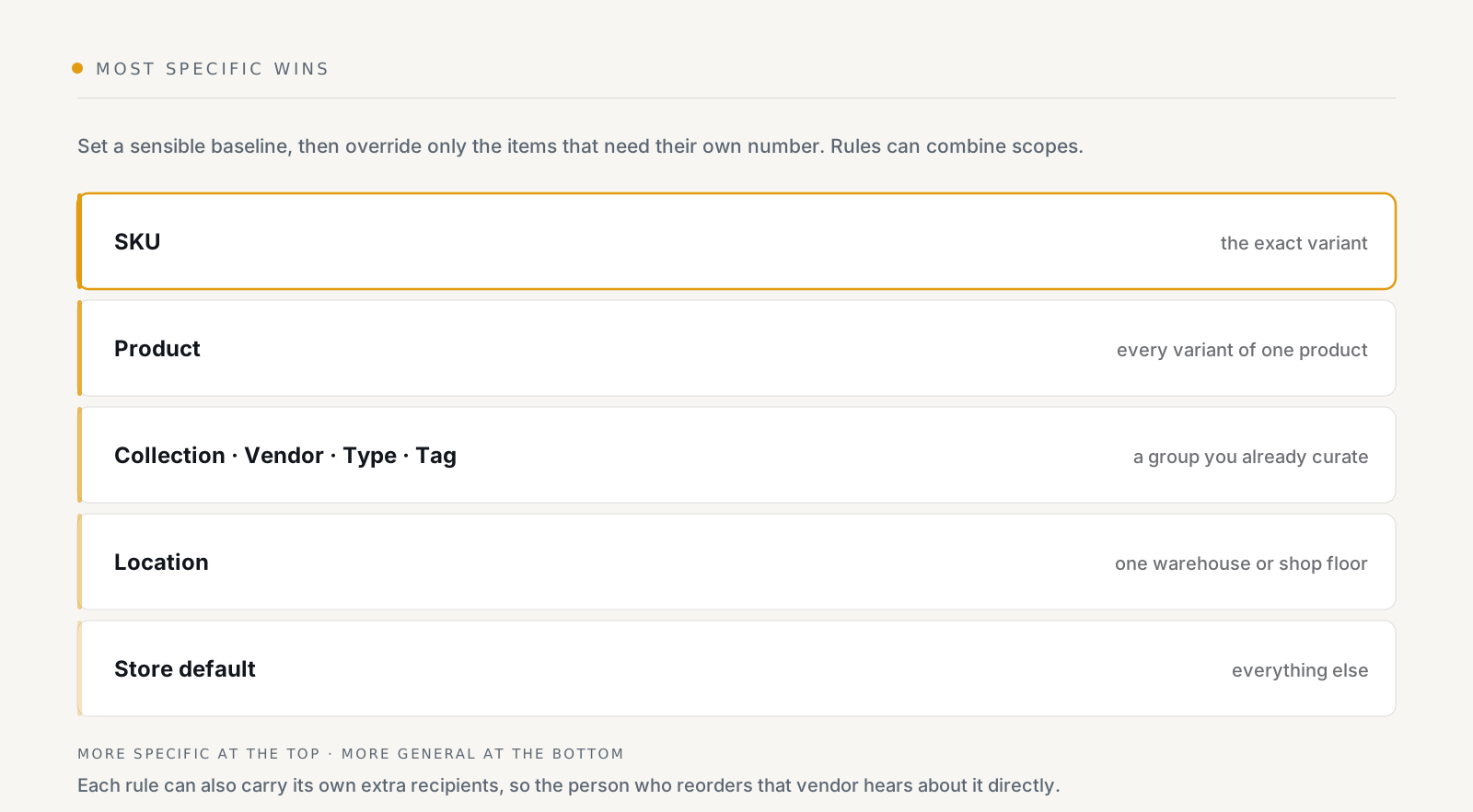
A rule can be scoped to a SKU, a product, a collection, a vendor, a product type, a tag, a location, or a combination of those. When more than one rule matches an item, the most specific one applies.
That resolution rule is what makes the system usable. You are not maintaining a rule per variant. You set a baseline, override a vendor, then override one SKU inside that vendor, and each override only has to describe its own exception.
A layering that works
Layer 1, the store default. One number, deliberately crude. Its job is to make sure nothing is completely unwatched.
Layer 2: groups you already curate. Collections, vendors, product types and tags are the useful middle, because they usually already encode something real about lead time or value. A vendor who ships from overseas needs a higher reorder point than one down the road. That is a lead-time fact, and "vendor" is where it naturally lives.
Layer 3, the individual exceptions. Your top sellers, and anything with a long or unreliable restock. Usually a short list. If it is long, something in layer 2 is wrong.
Per-location thresholds
Stock is tracked per item per location, and a rule can be scoped to a location. So a warehouse and a shop floor can carry different numbers for the same product, which is what you want, the shop floor running to two units is routine; the warehouse running to two is a problem.
One thing to know: this applies to the thresholds. If you go on to use forecasting, the velocity behind it is store-wide, not per location.
Who hears about it
Each rule can carry its own extra recipients. That is a small feature with a large effect on whether alerts get acted on.
A general alerts inbox gets skimmed. An email to the person who actually places orders with that vendor, about that vendor's stock, gets acted on. Scope the rule to the vendor, add their address to the rule, and the routing problem solves itself.
Doing it in bulk
Setting a few hundred reorder points by hand is nobody's afternoon. On the Starter plan and above:
- Export stock status to CSV: what you have, where, and against which threshold.
- Import reorder points from CSV, set them all at once.
The practical loop is: export, sort by how fast things move, fill the column in a spreadsheet, import. Then use scoped rules for the ongoing exceptions rather than re-importing every time something changes.
Getting the numbers roughly right
A reorder point is covering the time between noticing and restocking:
reorder point ≈ units sold per day × days to restock, plus a buffer for the days that are not average.
You do not need precision. You need a number that is wrong in the safe direction. If you do not know your daily rate, the forecasting view computes it, and until then, guess high and tune down when the digest gets noisy.
The tuning signal
The digest tells you whether your numbers are right, and it takes about a week to read:
- Consistently long, the default is too high. Everything is "low", so nothing is.
- Consistently empty, then a sellout, too low, or the fast movers have no override.
- The same handful every day. Those items need a real reorder, not a higher threshold. The alert is working; the buying is not.
See what StockNest does, scoped rules on every plan, CSV import and export from Starter.