Shopify will tell you an item is out of stock. It tells you by refusing the sale, which is the latest possible moment and the most expensive one.
A low-stock alert is the same information, earlier. The only question that matters is how much earlier, and that depends entirely on what triggers the check.
What triggers a check
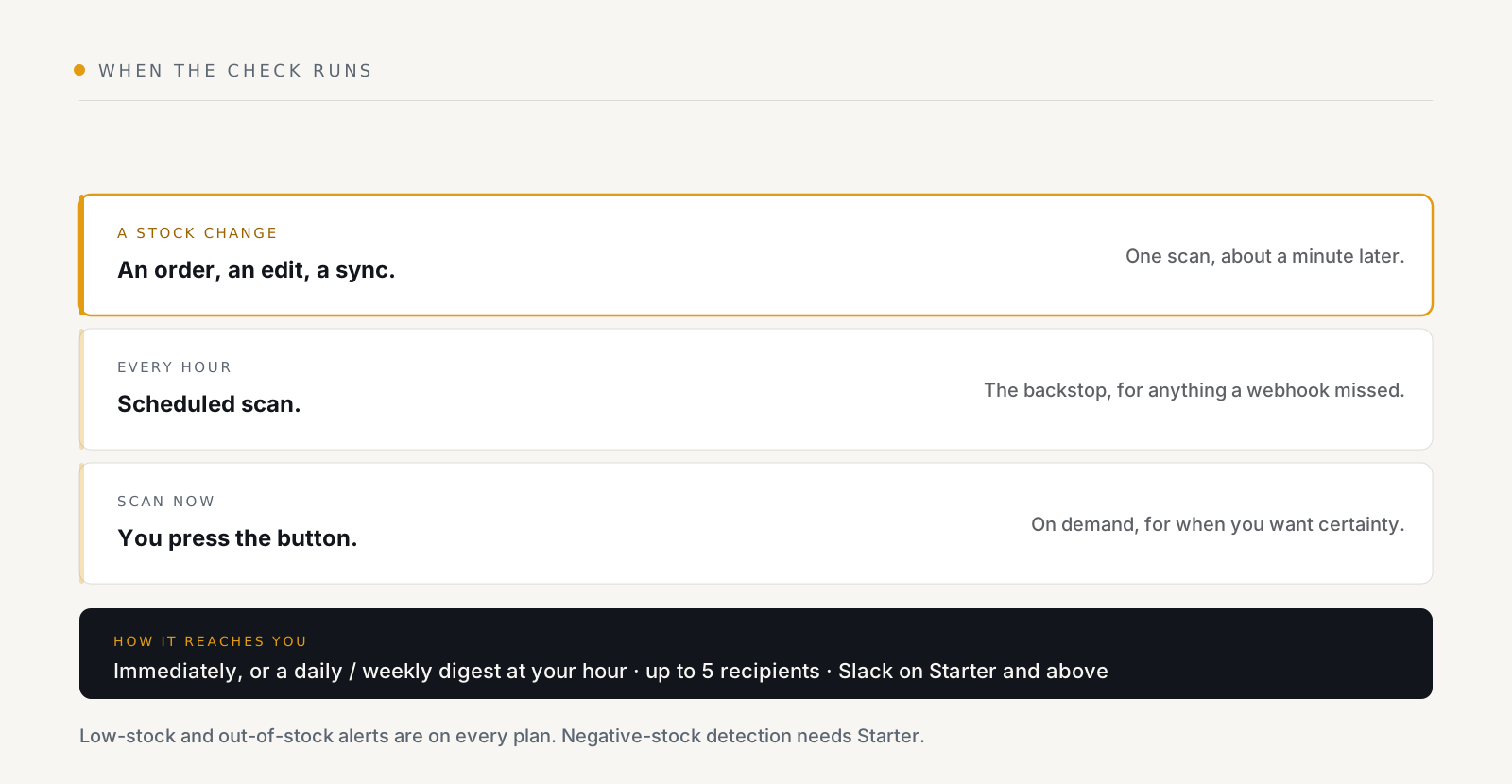
The important row is the first. A stock change, an order, a manual edit, a sync from somewhere else, triggers a check about a minute later. The short wait is deliberate: one big order touches a lot of items, and you want a single scan out of that, not four hundred.
So a crossing is caught within minutes of happening, not on the next run of a nightly report.
The hourly scan is the backstop: it catches anything a webhook didn't deliver. And Scan now exists for the moment you want certainty rather than confidence.
What counts as a crossing
Three states, and they are not the same alert:
- Low, stock fell to or below the reorder point you set.
- Out. It hit zero.
- Negative: it went below zero, which is not a sale. That is drift.
Low and out-of-stock alerts are on every plan, including Free. Negative-stock detection needs Starter.
That third one is worth dwelling on. Negative stock means your records and your shelves disagree, an oversell, a bad import, a sync from another system that double-counted. It is not a reordering signal; it is a data-integrity signal, and it wants a different response.
Where the numbers come from
StockNest keeps its own copy of your stock levels, per item per location, updated as Shopify reports changes and reconciled once a day.
Two consequences:
- Scans are fast, because checking a threshold does not mean asking Shopify about every variant in the catalogue.
- It tidies itself. Untracked items and deleted variants drop out automatically, so you are not alerted about a variant that no longer exists.
Choosing how it reaches you
Immediate, or a daily or weekly digest at an hour you pick, in your shop's timezone. Up to five email recipients. Slack from Starter upwards.
The choice matters more than it looks:
- Immediate suits a small catalogue, or a handful of items that genuinely cannot go out of stock. It also suits negative-stock alerts whatever your size, because drift is a bug and bugs want interrupting.
- A daily digest suits everyone else. An alert per item across a catalogue of two thousand is not an alert system. It is a filter people build in their inbox and stop reading.
And there is a back-in-stock recovery notice, on by default and switchable off. This is the half that usually gets left out: knowing something ran out is only actionable if you also learn it is fixed, otherwise every alert leaves a task nobody closes.
Setting it up in ten minutes
- Set a store-wide default reorder point. One number, deliberately crude. It stops the catalogue being silent while you do the real work.
- Override the items that matter. Your top sellers, long-lead-time products, anything you cannot re-buy quickly. See reorder points by SKU, collection or vendor.
- Choose digest over immediate, unless your catalogue is tiny.
- Add the right recipients. Rules can carry their own extra recipients, so the person who actually reorders a vendor's range hears about that range.
- Press Scan now and read what comes out. If the first digest is 300 lines long, your default is too high. That is the tuning step, and it is much cheaper to do now than after people have started ignoring the emails.
What it does not do
It does not reorder for you, move stock between locations, or keep an audit trail of changes. It watches levels and tells you when one crosses a line you drew.
For the forward-looking version of the same question, not "am I low now?" but "when will I be?", see days of cover.
See what StockNest does, low and out-of-stock alerts are on the free plan, with 300 emails a month.