Sooner or later most stores find one of their own product photos on someone else's listing, and go looking for a way to lock the images down. The honest answer is that there isn't one. A browser's whole job is to send your images to a stranger's computer and display them, and anything displayed can be captured, by a screenshot if nothing else.
What you can control is what the copy says. A photo with your name or logo in it carries that name to wherever it's reposted. That is the protection a watermark gives, and it is worth having, as long as you know where it stops.
What a watermark does, and what it doesn't
A watermark is drawn into the image file itself, so it travels with every copy. It doesn't matter how the photo was taken: saved from the page, dragged to a desktop, screenshotted or pulled from a feed, the copy has your mark in it.
| Watermark | |
|---|---|
| Stops someone saving or screenshotting the photo | No |
| Marks every copy taken after you apply it | Yes |
| Marks copies taken before you applied it | No |
| Makes the photo identifiably yours when it's reposted | Yes |
| Shows on your own product pages | Yes |
Two rows are worth dwelling on.
Copies taken before you apply it are clean. A watermark protects from the moment it's on your product, not retroactively. If a photo has already been lifted, watermarking it now changes your copy, not theirs. That is an argument for watermarking new products as they go up, not after you find the first copy.
The mark is on your own pages too. A watermark that's in the file is in the file your shoppers see. That's the trade: the stronger the mark, the more it sits between a shopper and the product. The settings below are about finding the point where it still identifies the photo without spoiling it.
Watermarkly doesn't block right-click or downloads. It changes the image, and only the image.
Make the mark hard to remove
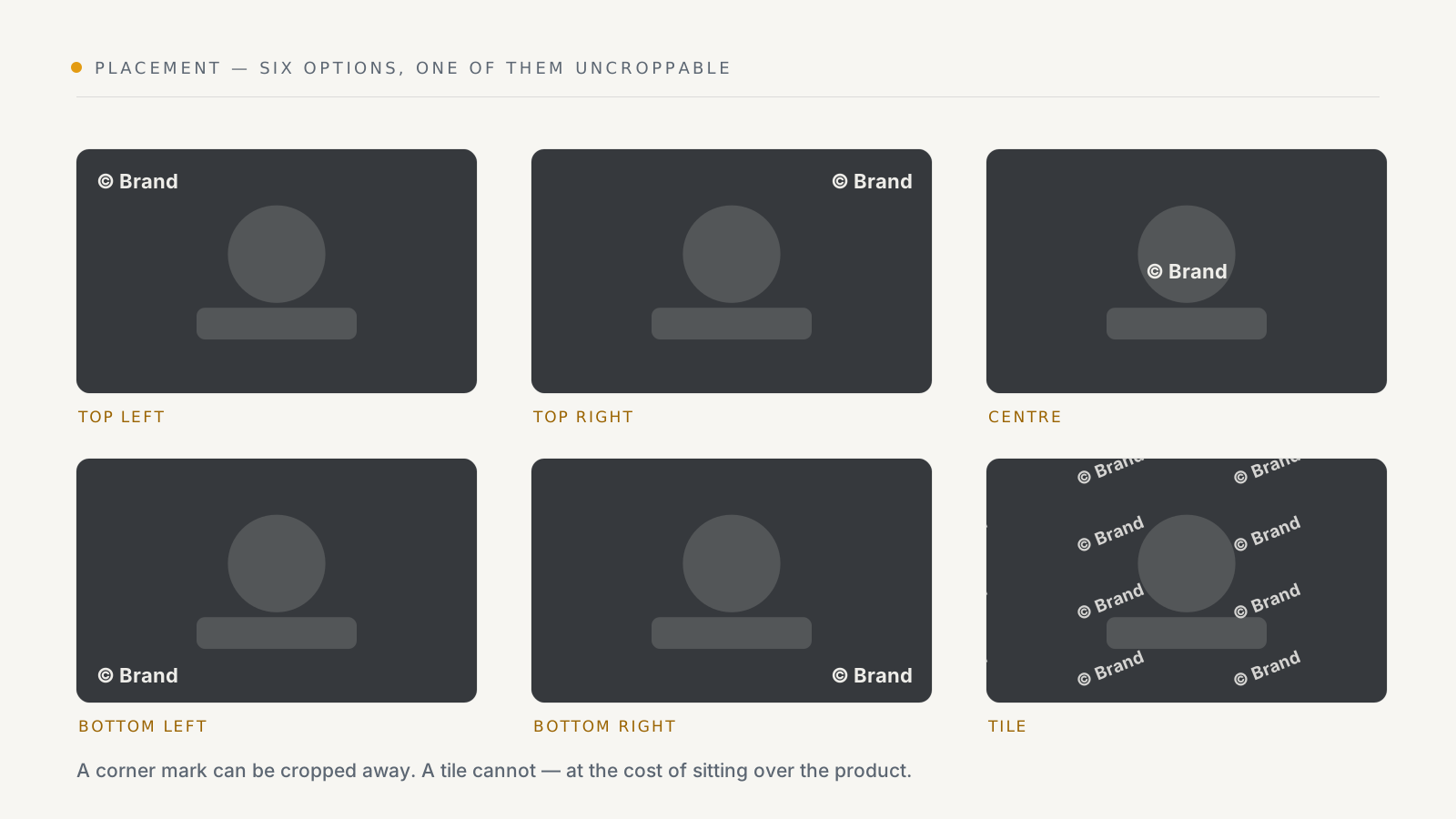
The question to ask of any setting is: how long would it take someone to get rid of this?
- Position. A corner mark disappears with one crop. Repeat across the image covers the whole photo, so no crop removes it. A mark in the Center is harder to crop off than a corner, because the crop would have to cut into the product.
- Rotation. From −180 to 180 degrees. With Repeat, a rotation of 0 runs the mark on a diagonal.
- Opacity. Watermarkly starts at 50%. Too faint and it can't be read at thumbnail size; too strong and it hides the product.
- Size. Text size is set in pixels on a 1000 px wide image and scales with each photo, so a mark that's legible on one product photo is legible on all of them, whatever their resolution.
- Text or logo. Text works on every plan, and an empty text field becomes "© your site name". A logo, on paid plans, is more recognisable; a PNG with a transparent background looks best.
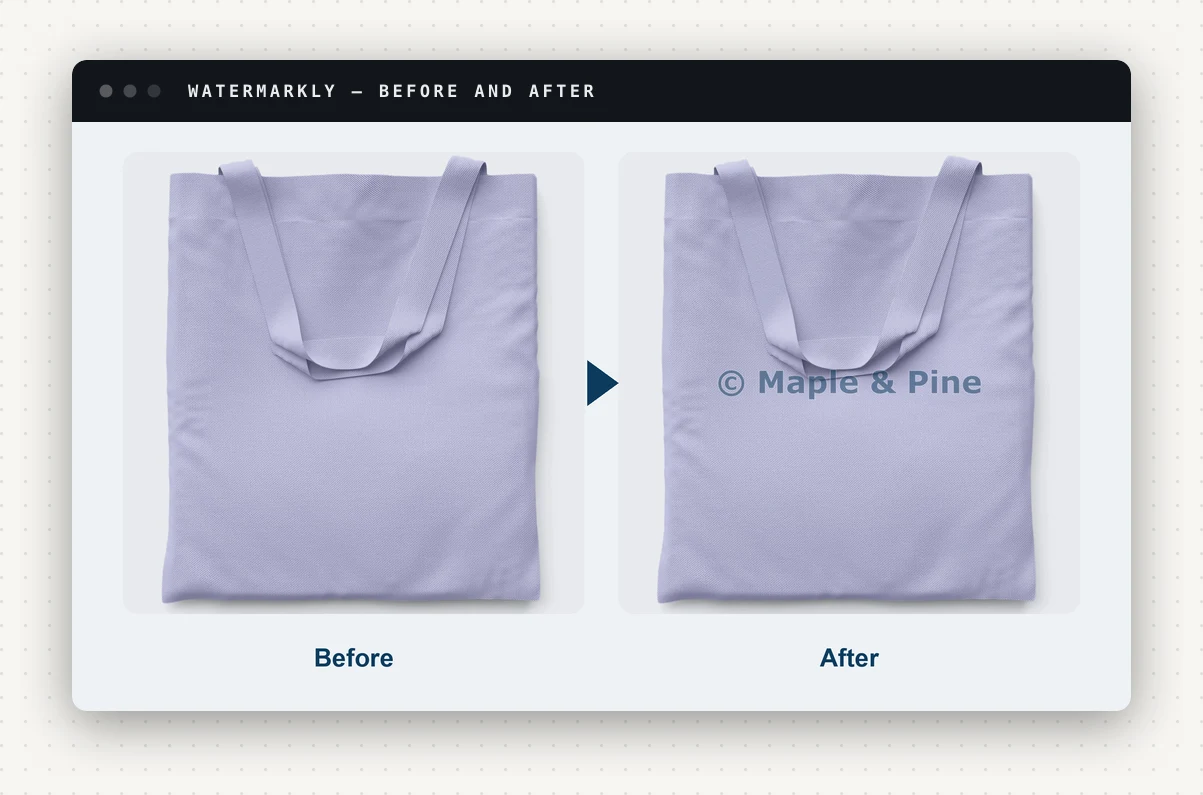
Check every change on the preview. It draws a sample photo exactly as your product images will be watermarked.
Cover the whole catalogue, not just the best photos
A watermark only marks the images it's on. Three settings decide how much of your catalogue that is.
Main image only. Turned on, Watermarkly marks each product's main (thumbnail) image and leaves the rest of the gallery as it is. That keeps detail shots clean for shoppers, and it also leaves them clean for anyone copying them. If the close-ups are what gets taken, leave this off.
Apply to all products. The Apply page can run every product at once, or up to 500 you pick. Images that already carry your watermark are skipped, so you can run it again safely after adding products.
Auto-apply (paid plans). New products are watermarked within minutes, and images added to existing products within the hour, so a new photo isn't left unmarked while you get round to it.
Each image counts against the plan's monthly allowance when it's watermarked: 50 on Free, 500 on Starter, 5,000 on Growth and unlimited on Enterprise. A run that reaches the limit stops there, and you get an email if auto-apply has to wait.
Keep a way back
Strong protection is easier to choose when it's easy to undo. Before an image is changed, Watermarkly keeps an untouched copy of it, and Restore puts the original back in the same gallery position, for one image, a selection or all of them. Restoring doesn't count against your allowance.
Your original files also stay in your Media Manager; Watermarkly never deletes them. The watermarked versions live in a "Watermarkly" folder there.
If you ever remove the app, restore your originals first: watermarked images stay on your products afterwards, and Watermarkly's copies of the originals are deleted 7 days after removal.
What a watermark won't do
To be plain about it:
- It won't stop a screenshot. No web page can.
- It won't recall photos already copied.
- It won't find copies for you or take them down. It makes a copy recognisable when you, or anyone else, comes across it.
- Badges aren't protection. Sale, new and out-of-stock badges (paid plans) are merchandising that happens to be drawn into the same image. They are chosen when the image is watermarked and don't update by themselves.
None of that is a reason to skip it. A clean photo copied from your store is just a photo; a watermarked one still says whose it is.
A sensible setup
- Design a text mark with your site name, or your logo on a paid plan. Check it on the preview.
- Choose Repeat across the image if your photos are being cropped and reused; a corner if they mostly aren't and you want the product clear.
- Leave Main image only off if your detail shots are worth protecting.
- Apply to two products, look at them on your live site, then apply to all.
- On a paid plan, turn on Auto-apply so new products are covered from the day they go up.
The full walk-through of each setting is in how to watermark Wix product images.
Watermarkly is on the Wix App Market. The Free plan covers text watermarks, 50 images a month and one-click restore.